

Jujotech
Fusion Remote
Expert
Manage remote assistance with your frontline connected workers
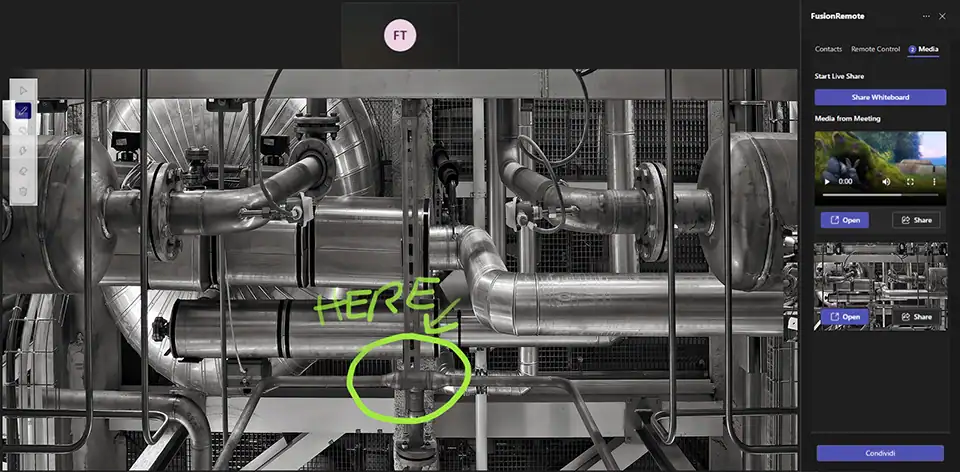
That’s the power of Jujotech’s Fusion Remote suite, now seamlessly integrated with Microsoft Teams. Beyond traditional chats and calls, our Fusion Remote Expert integration lets you connect with remote device access and augmented reality (AR) connections, allowing you to show exactly what you see, eliminating the guesswork and errors of verbal descriptions.
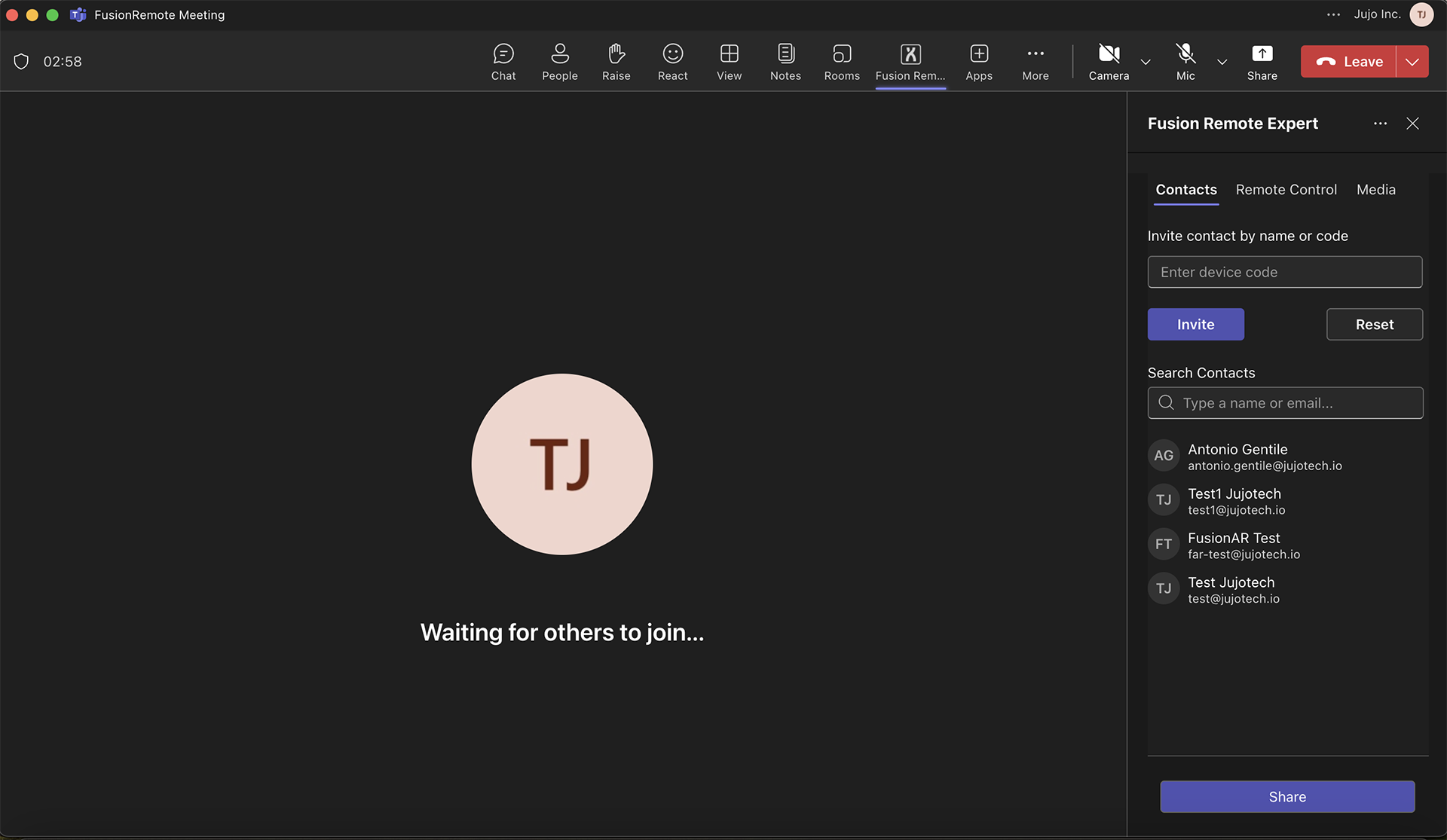
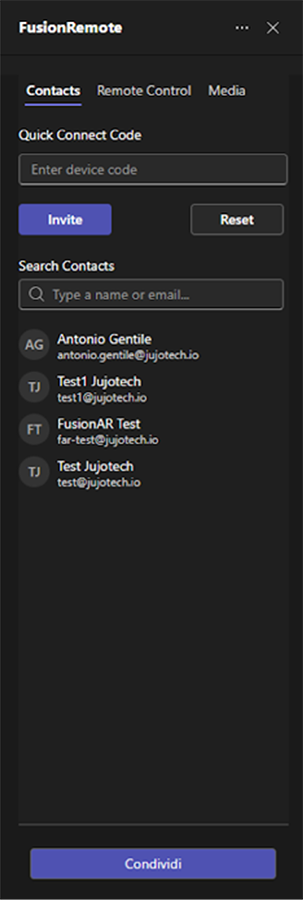
contact tab
Remote control tab
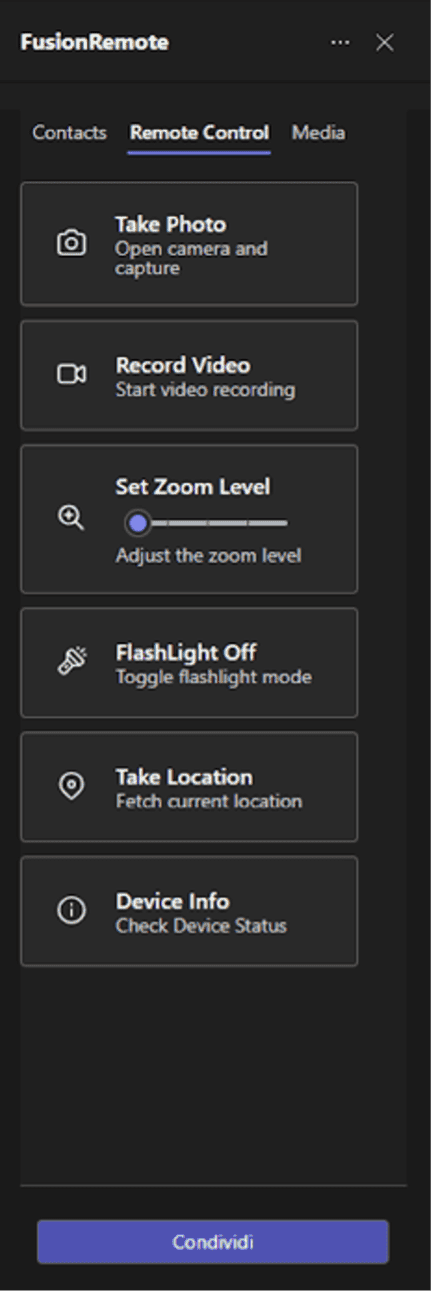
The Remote Controls tab offers telemetry access to your fleet of wearable devices connected into the meeting. Here you can seamlessly execute commands without distracting the field worker from the complex tasks he is handling, all while seeing what he sees. Available commands are:
- Take Photo – To capture a hi-res snapshot of what is being shown in the video stream
- Record Video – To capture a video clip of what is being shown in the video stream
- Set Zoom Level – To zoom into the stream video with 5 levels of magnification
- Flashlight ON|OFF toggle – To switch the headset flashlight on and off
- Take Location – To acquire the precise GPS coordinates of the devices
- Device Info – To access a diagnostic panel on device licensing and operation
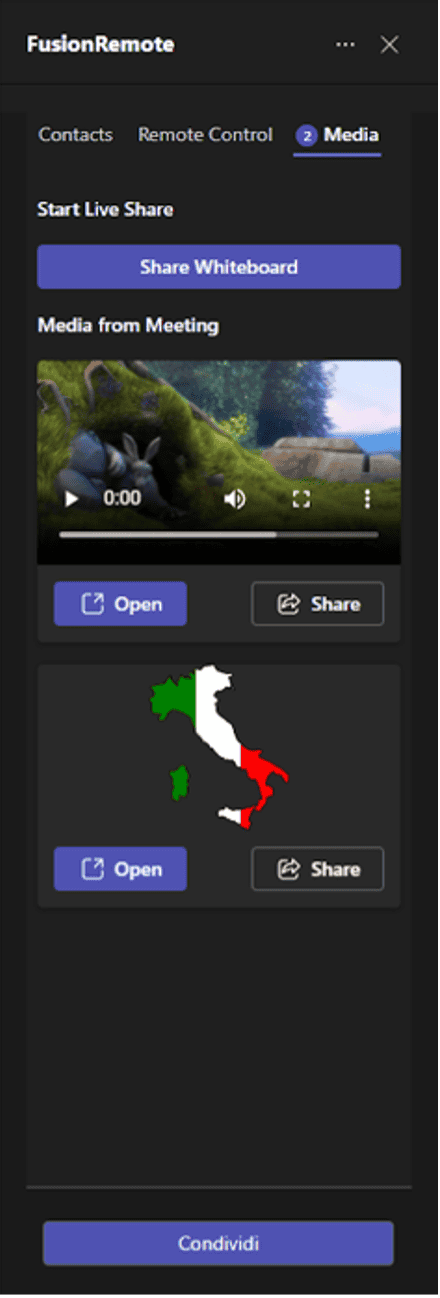
Media tab
App Information
Get Familiar with the Solution
More information: https://www.jujotech.com/frexp-support.html
Demo the Solution
App Security & Compliance for IT Admins
Please refer to the Microsoft App Certification page for details on certification requirements: https://learn.microsoft.com/en-us/microsoft-365-app-certification/overview
• Security Evidence:
The app uses Microsoft Graph delegated permissions to enable its support and collaboration features. All data access is scoped to user context, with admin-granted permissions ensuring compliance and security.v
Deploy & Adopt for IT Admins
Fusion Remote Expert Teams App requires that the administrator of your organization gives consent tenant-wide at first installation. If you are the admin of your organization, follow this guide to consent it and contact Jujotech Support to receive all the information to enable your tenancy.Below are the Microsoft Graph permissions requested by the app:
| Permission | Type | Description | Admin Consent Required |
|---|---|---|---|
| Chat.Read | Delegated | Read user chat messages | No |
| ChatMessage.Read | Delegated | Read user chat messages | No |
| ChatMessage.Send | Delegated | Send user chat messages | No |
| Group.Read.All | Delegated | Read all groups | No |
| Group.ReadWrite.All | Delegated | Read and write all groups | No |
| Offline_access | Delegated | Maintain access to data | No |
| OnlineMeetings.ReadWrite | Delegated | Read/create user’s online meetings | No |
| openid | Delegated | Sign users in | No |
| profile | Delegated | View users’ basic profile | No |
| User.Read | Delegated | Sign in and read user profile | No |
| User.Read.All | Delegated | Read all users’ full profiles | No |
| User.ReadBasic.All | Delegated | Read all users’ basic profiles | No |
LFusion Remote Expert Teams App requires that the administrator of your organization gives consent tenant-wide at first installation. If you are the admin of your organization, follow this guide to consent it and contact Jujotech Support to receive all the information to enable your tenancy.
To install Jujotech Fusion Remote Expert:
- 1. Open Microsoft Teams
- 2. Click on “Apps” in the sidebar
- 3. Search for “Jujotech Fusion Remote Expert”
- 4. Click “Add” to install the app
To make the app accessible for all users:
- 1. Go to Microsoft Teams Admin Center
- 2. Navigate to Teams apps > Setup policies
- 3. Add “Jujotech Fusion Remote Expert” under Pinned apps
- 4. Assign the policy to users or groups as needed
Visit the support page for help: www.jujotech.com/frexp-support.html
How to Use Guide for End User
Once installed:
- 1. Open the app from the Teams sidebar
- 2. Start a chat or video session with an expert
- 3. Use the app’s tools to share content, access meetings, or collaborate live
How to Get Support
– Website: www.jujotech.com/frexp-support.html
– Use the contact form to reach the JujoTech support team