

Welcome to Fusion Remote Zoom Bot Page
Fusion Remote Bot allows you to create a meeting with other Fusion Remote users and remote mentors
HOW THIS APP IS USED WITH ZOOM
INSTALLATION
- Select Fusion Remote Bot App from Zoom Marketplace
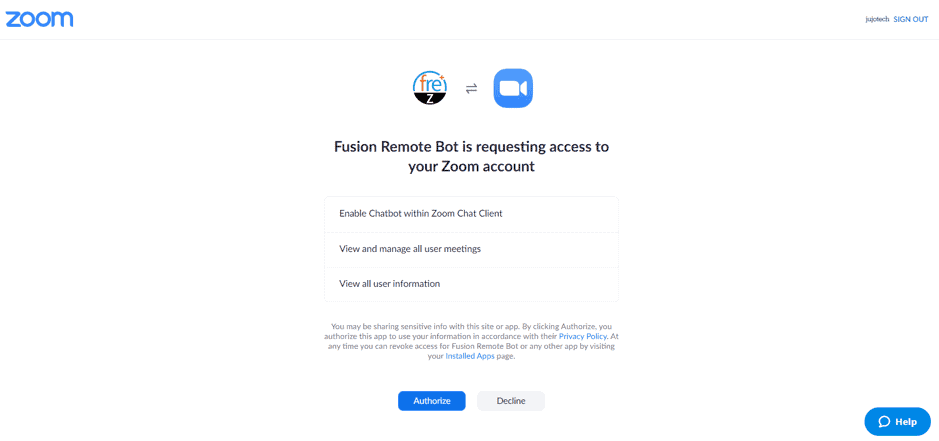
- Click Install, Login with Zoom and authorize the app
- The Fusion Remote Bot will appear in your chat list
USAGE
Create a Zoom Meeting and invite other users
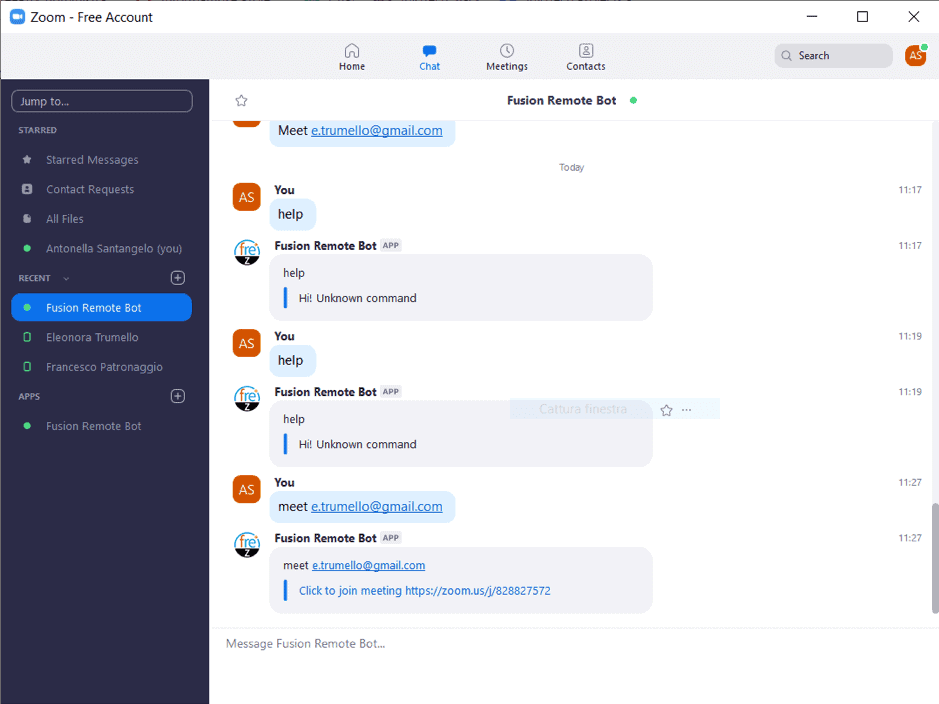
- Open Fusion Remote Bot chat
- Send the command “meet ”
- The Bot invites other user and replies to you with a new meeting join url
UNINSTALLING FUSION REMOTE BOT
- Login to your Zoom account and navigate to the Zoom App Marketplace
- Click Manage > Installed Apps or search for the Fusion Remote Bot app
- Click the Fusion Remote Bot app
- Click Uninstall
For additional help or technical support, please submit a ticket
CONTACT
Farhad Navid
support@jujotech.com